
文档
高级
导入模型
高级
导入模型
使用您在 LM Studio 之外下载的模型文件
您可以通过将兼容模型放置在预期目录结构中,来使用您在 LM Studio 之外下载的模型。
使用 lms import(实验性)
要导入您在 LM Studio 之外下载的 GGUF 模型,请在您的终端中运行以下命令:
lms import <path/to/model.gguf>
按照交互式提示完成导入过程。
LM Studio 预期的模型目录结构
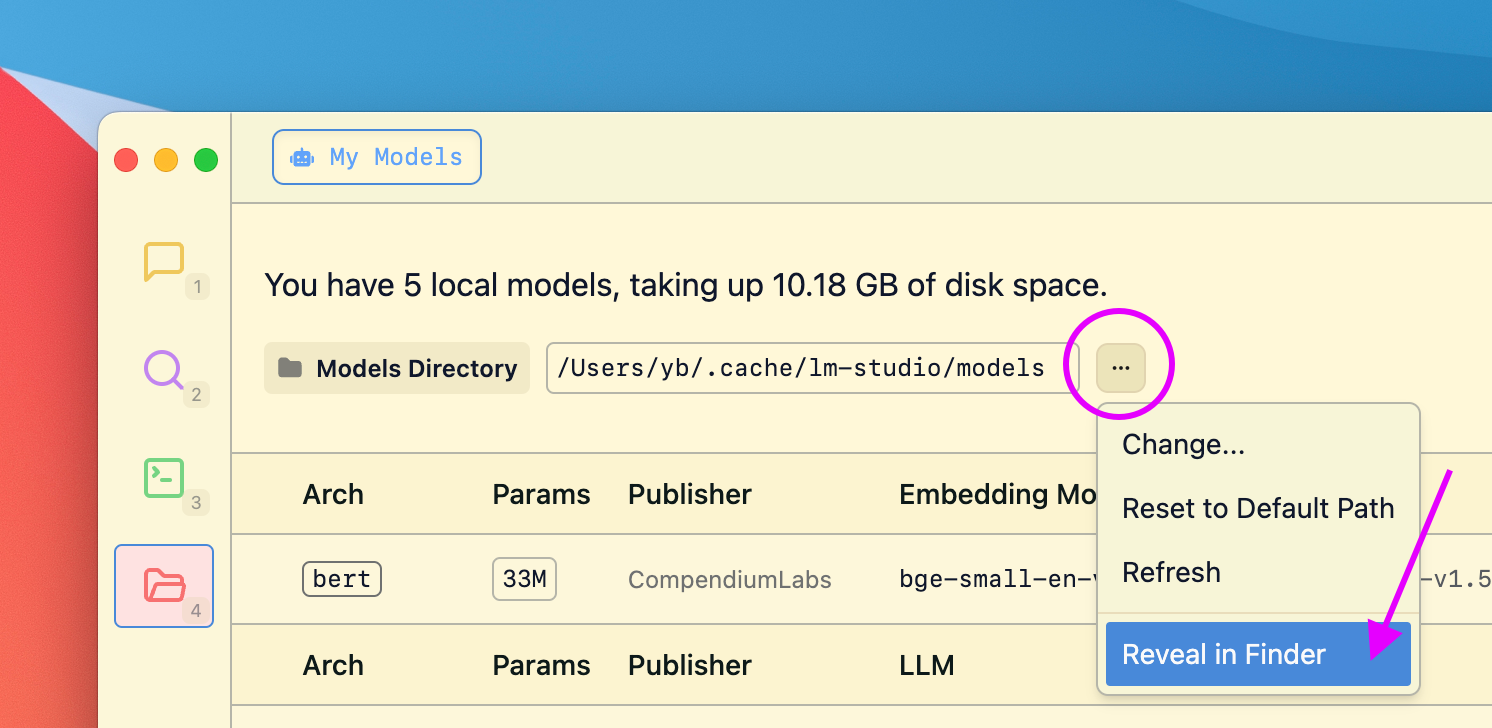
在“我的模型”选项卡中管理您的模型目录
LM Studio 旨在保留从 Hugging Face 下载的模型的目录结构。预期的目录结构如下:
~/.lmstudio/models/
└── publisher/
    └── model/
        └── model-file.gguf
例如,如果您有一个由 infra-ai 发布的名为 ocelot-v1 的模型,则结构将如下所示:
~/.lmstudio/models/
└── infra-ai/
    └── ocelot-v1/
        └── ocelot-v1-instruct-q4_0.gguf
社区
在 LM Studio Discord 服务器上与其他 LM Studio 用户聊天,讨论大型语言模型、硬件等。
此页面的源代码可在 GitHub 上获取